Familiar interface & commands
Ribbon, command line and shortcuts match your existing habits. CAD users are productive immediately: zero learning curve.
100% DWG/DXF compatible, familiar interface and commands, perpetual license: buy once, use forever.
10,000+ Vietnamese businesses · Perpetual license · Local technical support
 ZWCAD 2026 Professional: [First_Floor_Plan.dwg]
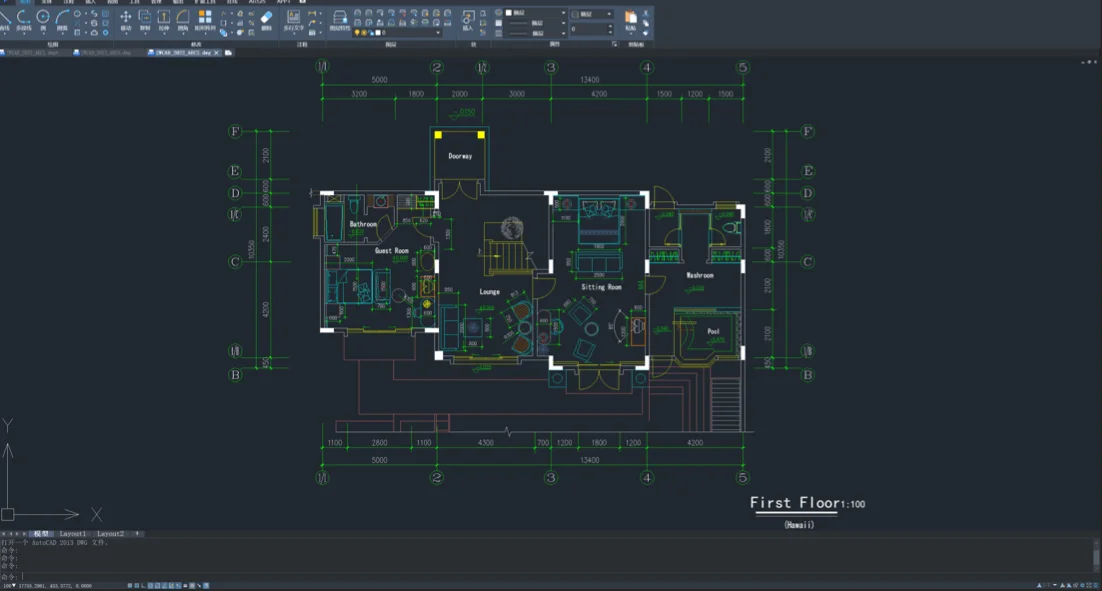
All the power of professional CAD software: the only thing you trade away is cost.
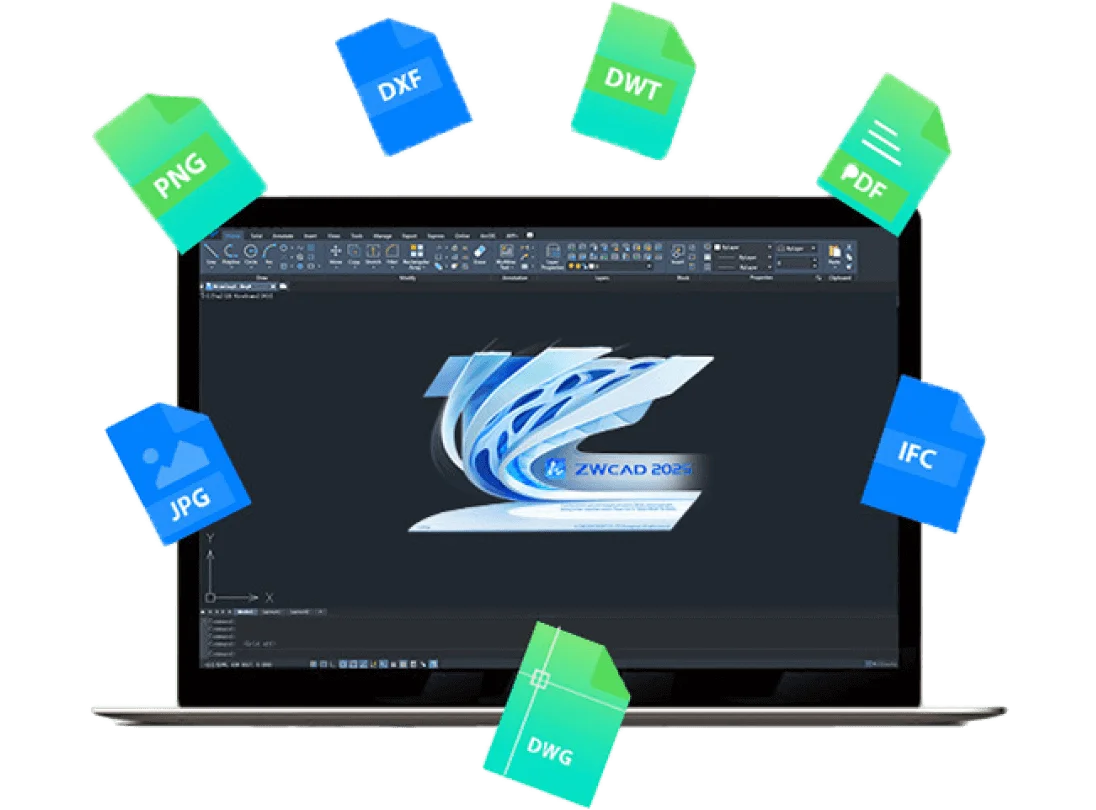
Reads and writes DWG/DXF natively, every version, no conversion needed. Blocks, layers, Xrefs and layouts are preserved when exchanging files with AutoCAD users.
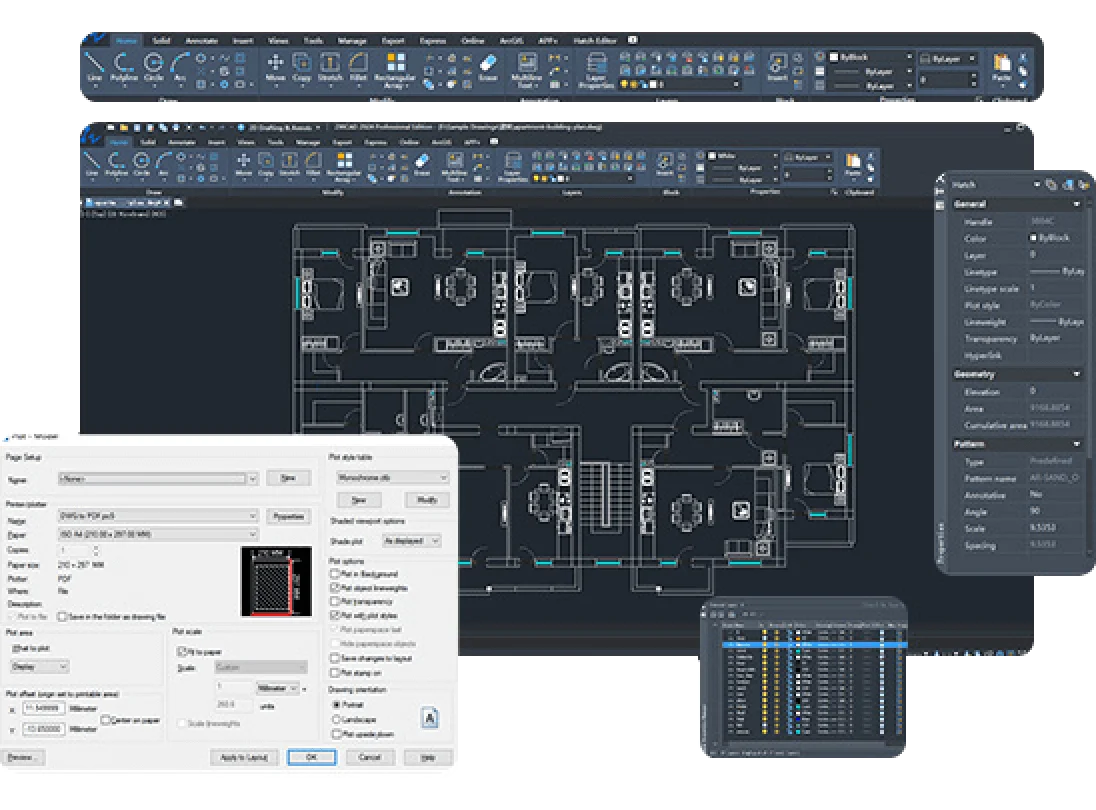
A complete 2D drafting, editing and annotation toolset: hatches, dimensions, multileaders and tables: plus the familiar Plot dialog for true-to-scale output.
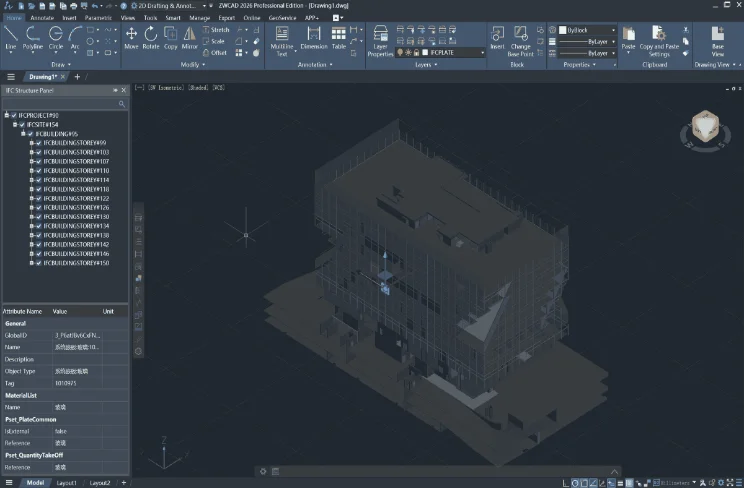
Solid 3D modeling in the Professional edition; view and manage BIM/IFC data right inside the DWG environment. Smart tools save hours every week.
Ribbon, command line and shortcuts match your existing habits. CAD users are productive immediately: zero learning curve.
Multi-core optimized graphics engine: fast loading of large files, smooth pan and zoom on drawings with tens of thousands of entities.
LISP routines run unmodified. The ARX-like ZRX API makes migrating plug-ins and in-house tools straightforward.
Buy once, use forever: no annual subscription fees. Save hundreds of millions of dong over a few years of use.
Same daily work: the difference is the cost of ownership.
| ZWCAD Professional | AutoCAD | |
|---|---|---|
| Ownership model | Perpetual license: buy once, use forever | Subscription: stop paying, stop using |
| Cost | 33.25M VND/license (one-time, excl. VAT) | ~39M VND/year (reseller price incl. VAT), every year |
| Cost after 5 years | 33.25M VND (yearly maintenance optional) | ~195M VND |
| DWG/DXF compatibility | 100%: native read/write | 100% (native format) |
| Relearning time | Practically zero: same interface & commands | — |
| LISP / extension APIs | LISP runs directly; VBA/.NET/ZRX | LISP; VBA/.NET/ARX |
Real ZWCAD screenshots: click an image to enlarge.
Genuine perpetual licenses: pay once, use for life.
Complete 2D solution for technical drawings
2D + 3D modeling with full APIs
Professional + mechanical toolset for manufacturing
Prices exclude VAT and annual maintenance. Contact us for a better price.
Compare ZWCAD Standard, Professional and MFG 2026 features, based on ZWSOFT’s official comparison chart.
| Feature | ZWCAD Standard 2026 20.520.000₫ | ZWCAD Professional 2026 33.250.000₫ | ZWCAD MFG 2026 40.375.000₫ |
|---|---|---|---|
| Compatibility | |||
| Import and Export DWG, DWF, DWFx, DWT, DWS, DXF | Yes | Yes | Yes |
| Import and Export PDF, DGN | Yes | Yes | Yes |
| Import IFC 1 | No | Yes | Yes |
| Import RVT files 2 | No | Yes | Yes |
| Import STEP | No | Yes | Yes |
| Interface and interaction | |||
| Classic and Ribbon interface | Yes | Yes | Yes |
| User interface customization (CUI) | Yes | Yes | Yes |
| Floating document tabs | Yes | Yes | Yes |
| Tool palettes, Properties palette, Design Center | Yes | Yes | Yes |
| 2D drafting | |||
| 2D drawing tools (Line, Circle, Rectangle…) | Yes | Yes | Yes |
| 2D editing tools (Move, Copy, Trim…) | Yes | Yes | Yes |
| 2D annotation (Dimension, Text, Leader, Table…) | Yes | Yes | Yes |
| References (Block, Underlay, Image Attach…) | Yes | Yes | Yes |
| Plot and publish (Plot, Publish, Export, eTransmit…) | Yes | Yes | Yes |
| Advanced features | |||
| Parametric Design 3 | Yes | Yes | Yes |
| Smart Match / Similar Search | No | Yes | Yes |
| Smart Mouse / Voice / Select / Plot | Yes | Yes | Yes |
| ZWCAD Toolbox | Yes | Yes | Yes |
| Flexiblock | Yes | Yes | Yes |
| Drawing View | Yes | Yes | Yes |
| Image to vector conversion | No | Yes | Yes |
| Point Cloud | No | Yes | Yes |
| GIS | No | Yes | Yes |
| Area Table | Yes | Yes | Yes |
| File Compare | Yes | Yes | Yes |
| Sheet Set Manager | Yes | Yes | Yes |
| 3D modeling | |||
| Solid, Mesh & Surface Modeling | No | Yes | Yes |
| Photorealistic Rendering | No | Yes | Yes |
| 3D Gizmo | No | Yes | Yes |
| Visual Style | Yes | Yes | Yes |
| ViewCube | No | Yes | Yes |
| 3D Orbit | Yes | Yes | Yes |
| Section View 2 | No | Yes | Yes |
| Programming | |||
| LISP Routines | Yes | Yes | Yes |
| Visual Basic for Applications (VBA) | No | Yes | Yes |
| Runtime Extension (ZRX/ARX) | No | Yes | Yes |
| .NET | No | Yes | Yes |
| Mechanical features | |||
| Frame Management | No | No | Yes |
| Balloons & BOM | No | No | Yes |
| Drawing & Construction Tools | No | No | Yes |
| Detail Views | No | No | Yes |
| Hide View | No | No | Yes |
| Power Dimension | No | No | Yes |
| Technical Annotations | No | No | Yes |
| Technical Requirement Library | No | No | Yes |
| Multi-Standard Part Library | No | No | Yes |
| Components & Feature Tools (Threaded Fastener, Hole, Shaft, Gear…) | No | No | Yes |
| Calculation Tools (Moment of Inertia…) | No | No | Yes |
| Design Data Management | No | No | Yes |
| AutoCAD® Mechanical compatibility | No | No | Yes |
We do not just sell licenses: we support you through the entire product lifecycle.
Original licenses with vendor certification, activated under your company name: complete peace of mind during software audits.
Contract, quotation and 10% VAT invoice with complete documentation for your accounting department.
Remote installation, data migration and troubleshooting via hotline/Zalo/TeamViewer: free for the entire product lifecycle.
Order confirmation and license key handover by email within the same business day, even for volume orders.
Quick answers to the most common questions before switching to ZWCAD.
Version updates, usage tips and migration experience.
How to buy ZWCAD license seats in Vietnam: quote, contract, VAT invoice, delivery, activation, maintenance, standalone vs network, and how to spot fake keys.
Read more →A practical guide to ZWCAD automation: working LISP and .scr examples, batch plotting, when to use VBA or .NET, and how to get AI agents to write the code.
Read more →What's new in ZWCAD 2026: Parametric Design, Smart Match, Smart Plot, Toolbox, RVT import and 2026 point releases, sourced from ZWSOFT, plus an edition table.
Read more →Call, message us on Zalo or leave your details: a consultant responds within business hours.